In short: Before you upload an image to WordPress or Moodle, resize it so the long side is 1600px, save it as a JPEG, and aim for under 300 KB. Squoosh does all three in your browser, for free.
Why shrink your images?
- A phone photo is 4000–8000px wide and 3–25 MB, but displays online at about 1200px. Shrunk properly, it’s 10–20× smaller, loads faster and looks the same on screen.
- Uploads over 5 MB are rejected. To share full-resolution images, put them in a OneDrive folder and share the link.
Target sizes
Not sure which? Use 1600px as your max length for the long edge.
| What you’re adding | Long side | Aim for |
|---|---|---|
| Full-width or banner image | 2000px | under 500 KB |
| Image in a post, page or gallery | 1600px | under 300 KB |
| Featured image or card thumbnail | 1200px | under 200 KB |
| Profile photo or headshot | 800×800px | under 150 KB |
How to Squoosh
Squoosh is a web app and doesn’t require installation. It’s free, runs in any browser on any device, and keeps your files private: your image never leaves your device.
- Go to squoosh.app.
- Tap or click to select your image, or drag it onto the page.
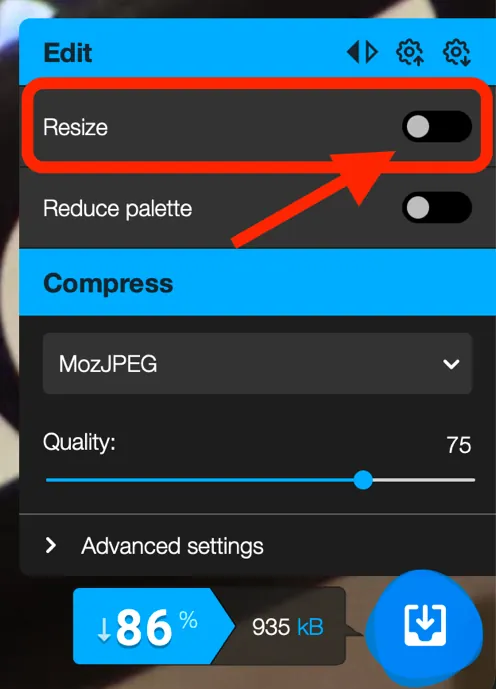
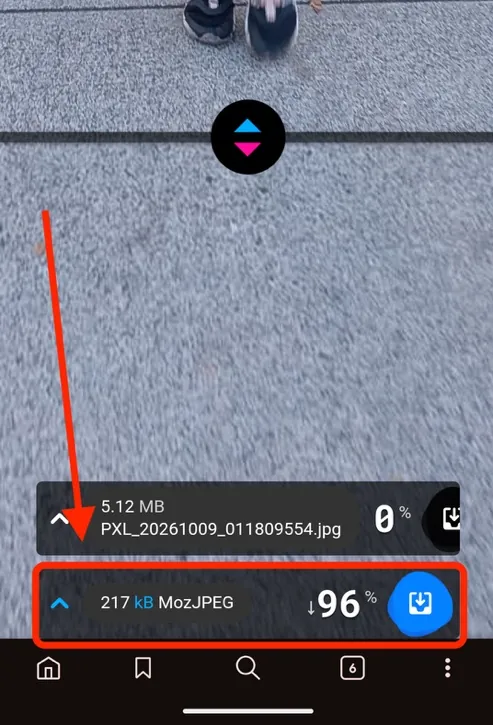
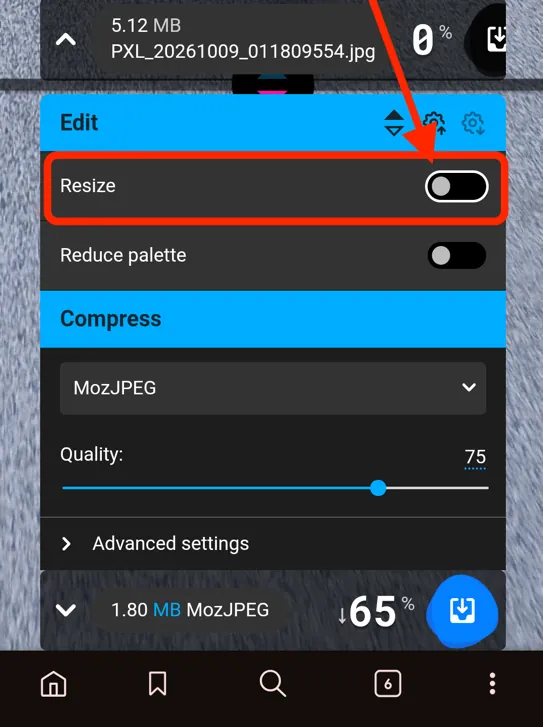
- In the settings panel, turn on Resize.
On a desktop or laptop, it’s in the bottom-right corner:
On a phone or tablet, tap the bar at the bottom of the screen to open it:
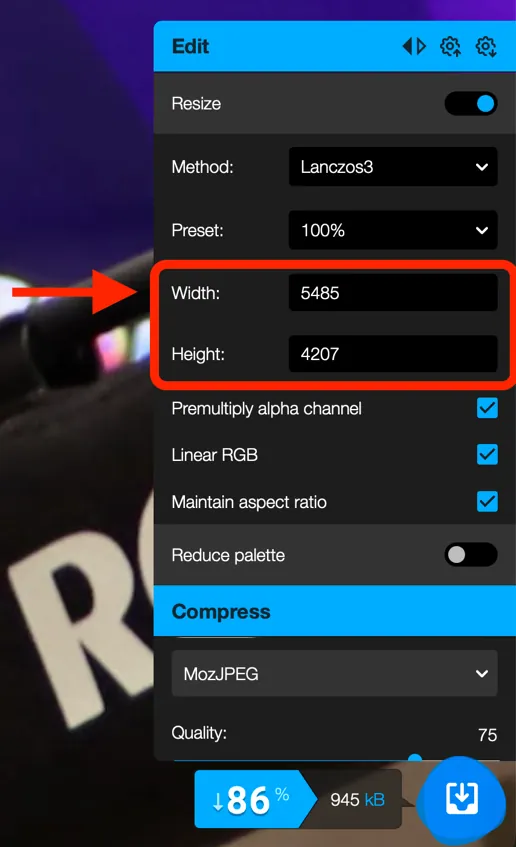
- Set the longest edge to your target from the Target sizes table. The other edge (height or width) adjusts automatically.
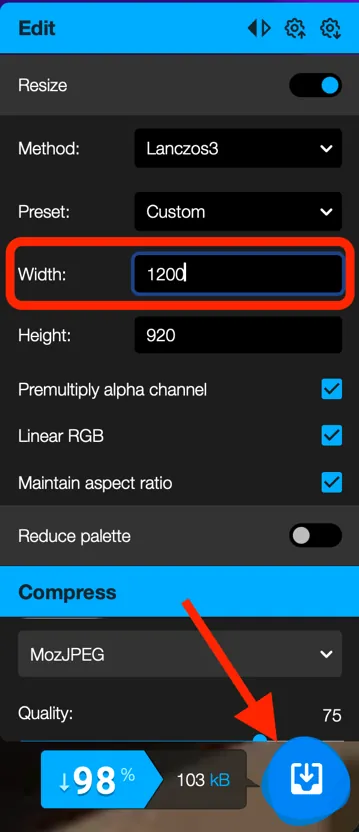
- Under Compress, leave it on MozJPEG and leave the quality at 75.
- Check the file size shown on the download button. It should be under your target.
- Tap Download, then upload that file to WordPress.
Tip: drag the slider in the middle of the preview to compare the original (left) with the compressed version (right). If you can’t see a difference at 100% view, you’re done.
Good to know
- Video or audio? Don’t upload it to WordPress. Use Kaltura and embed it.
- iPhone photos in HEIC format? Squoosh opens them and converts them to JPEG for you.
- Logos or graphics with a transparent background: choose WebP, PNG or OxiPNG instead of MozJPEG, or the transparency will be lost.
Teaching and Learning Centre, Emily Carr University. Prefer a printable copy? Download the PDF version.